Redesigning a learning management system that teachers and students use every single day โ making it cleaner, calmer, and actually enjoyable to use.
Our CEO collected honest feedback from the teachers and students actually using SilidLMS every day. The message was loud and clear: the platform was exhausting to use โ not because it lacked features, but because the design got in the way of everything.
๐ฌ "How might we reduce visual noise and cognitive overload in SilidLMS โ so teachers can focus on teaching and students can focus on learning, instead of fighting the interface?"
Think of it this way: if a teacher has to think about how to use the tool, they can't think about what they're teaching. A good LMS should feel invisible โ it should just work, quietly, in the background.
No formal usability sessions โ but I used structured UX methods to make sure every design decision was grounded in real user feedback, not guesswork.
This wasn't just a visual refresh. Every change was tied back to a specific complaint from a real user.
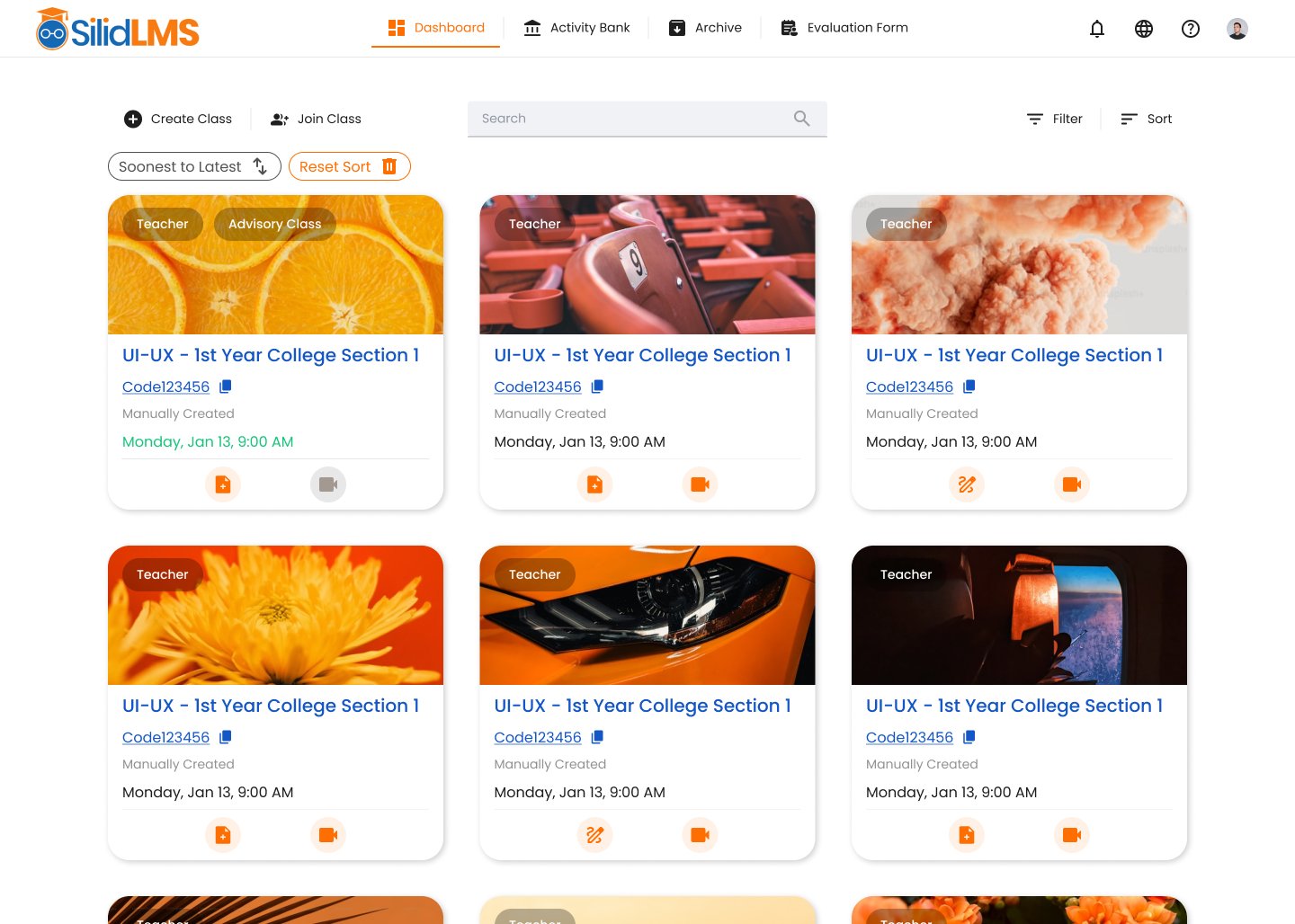
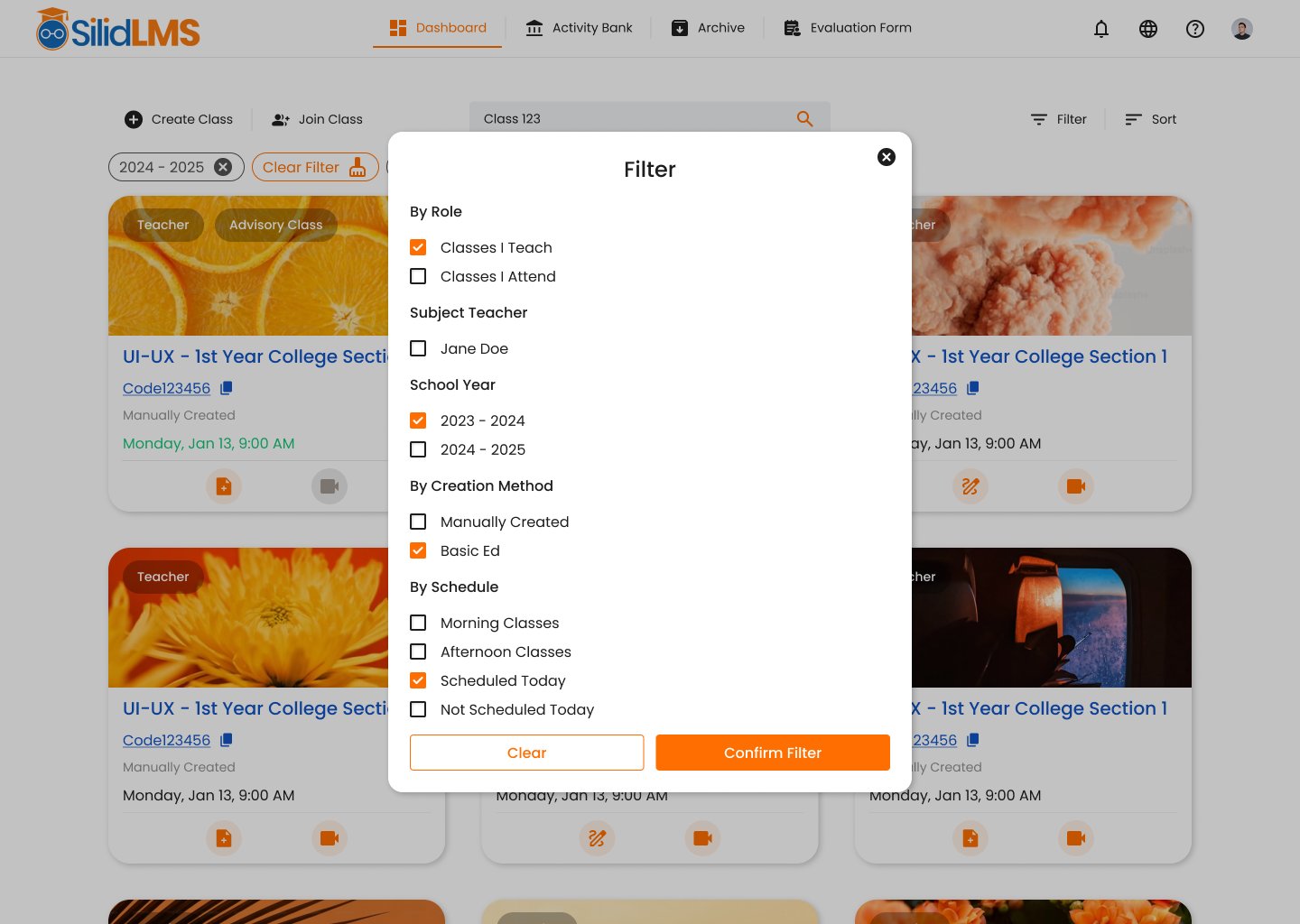
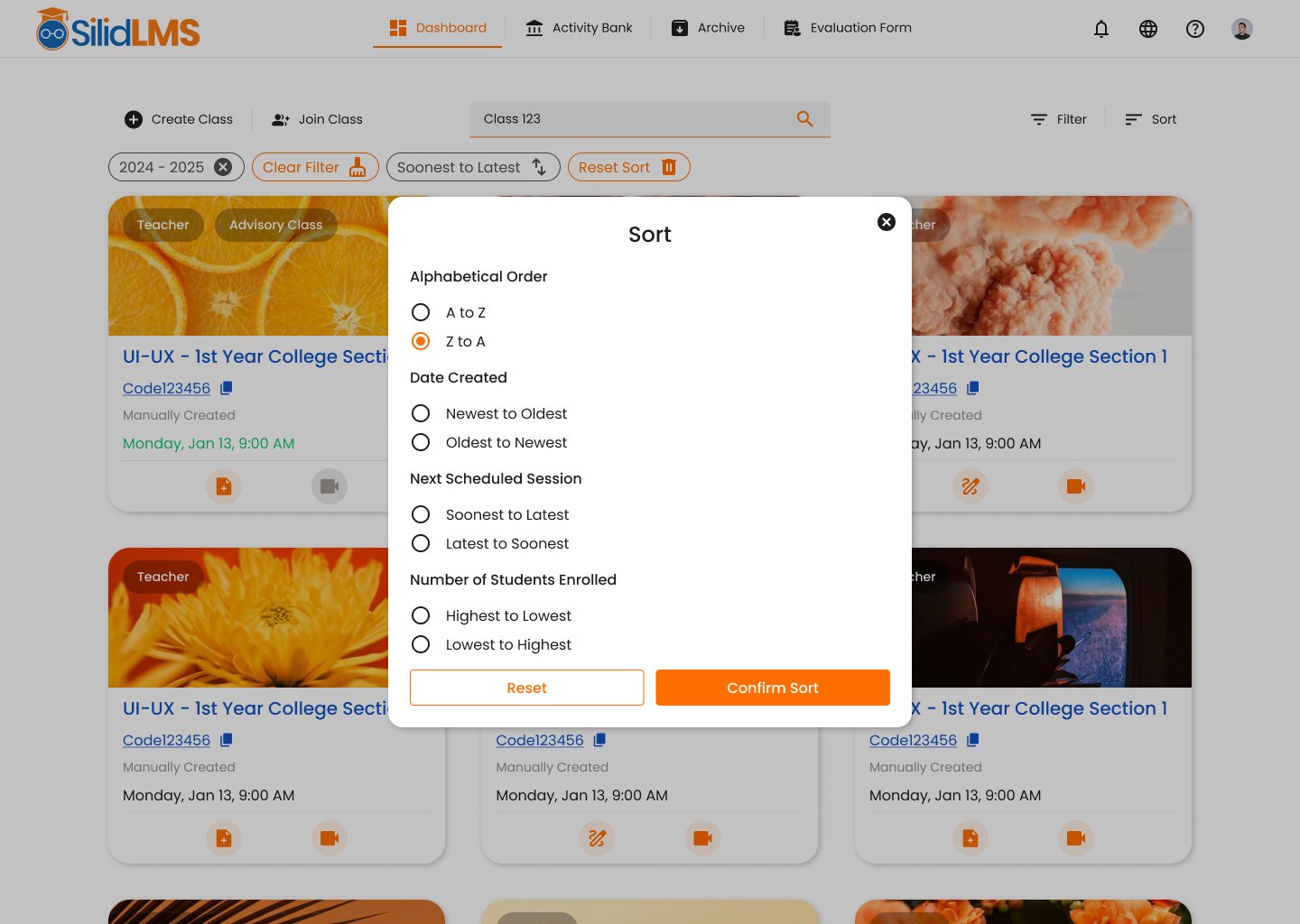
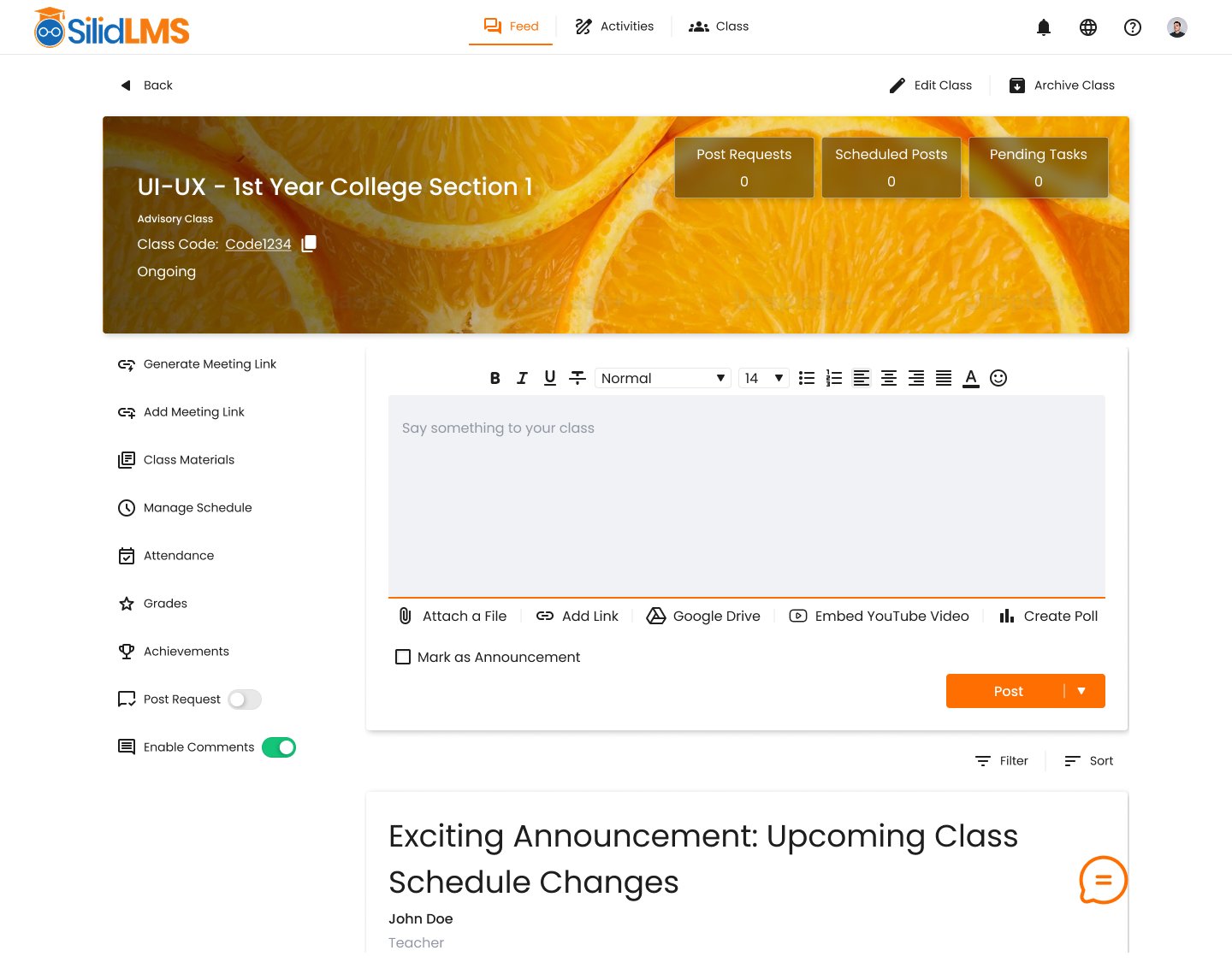
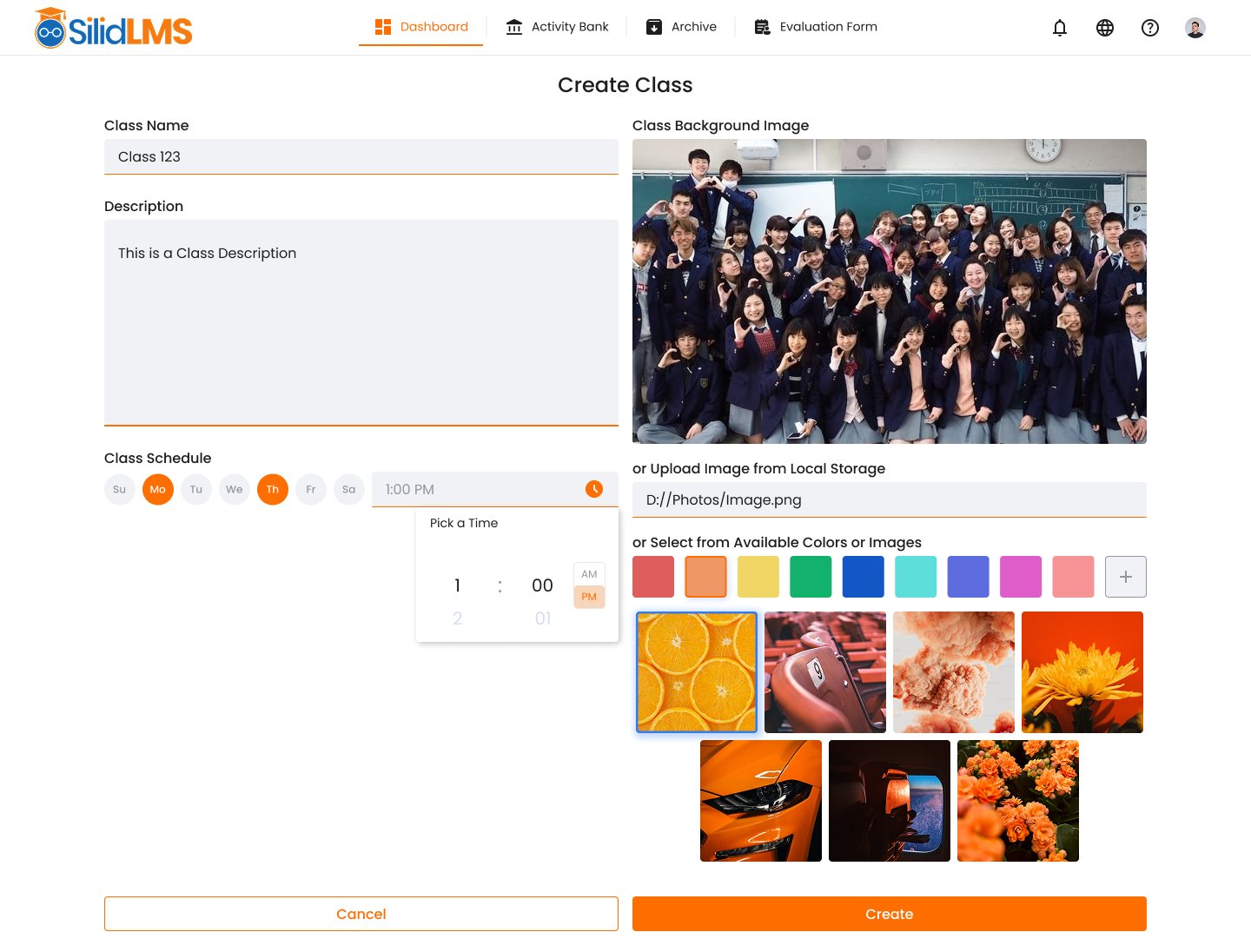
Every screen is a direct response to a real user complaint. This is what it looks like when design listens.
Dashboard โ class card grid

Filter & sort โ finding classes fast


Inside a class & creating a class


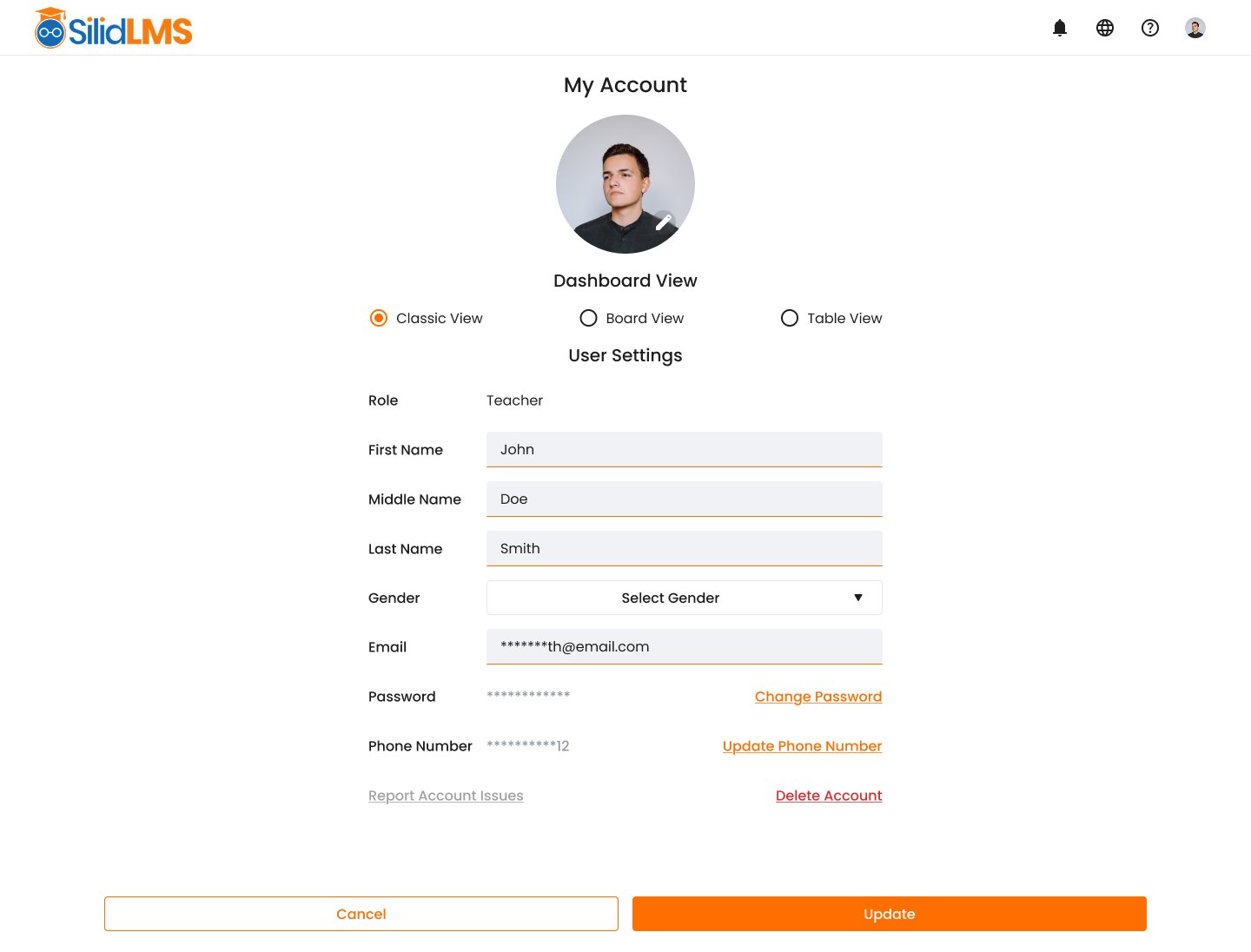
Account settings & dashboard view preferences
We didn't have access to direct user testing sessions โ but we used structured UX methods to evaluate the design rigorously before it shipped.
๐ The real win: Teachers and students now spend less time figuring out how to use the platform โ and more time actually teaching and learning. When a tool gets out of the way, the real work can begin.
๐ Recommended: Task Efficiency Testing. Now that the redesign is live, the next step is measuring time-to-complete for key LMS tasks โ posting an activity, managing a schedule, grading submissions. Running these with real teachers and students will show exactly how much time the new design saves, and where we can still improve.